Author Archives: thesocialworkpad

Video

Teach Empathy, Compassion and #SEL With Tools That Create and Display These Concepts

Recently, while doing my tech tools research, I ran across a couple of tools that were easy to use, took little time to create, and were FREE.  All of these tools could be used to make impactful statements or promote a good cause.  On the web site connectsafely.org , there is a push to promote safer internet day, which is happening February 11th, 2014.  Students can raise awareness about internet safety and how they are using technology and the internet to make their world safer.  The idea is that students can share one good thing they have done, or seen on this website  (more examples are on saferinternetday.us).  The following tools shared below are excellent ways you can make a statement, demonstrate social emotional learning or just have great fun.

Recite   

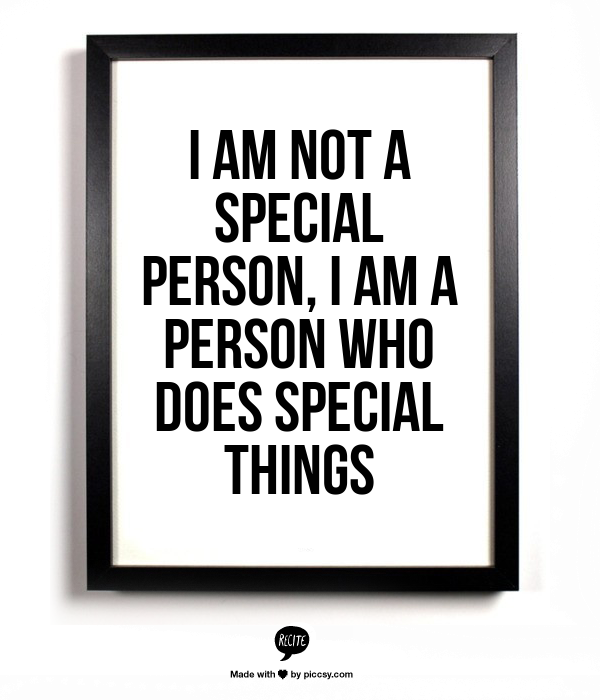
Recite is a tool that allows you to type your statement right into the quote box, scroll through the templates from the bottom screen, chose one, and preview your creation.  If you like it, you can share it through a variety of social medias, email, download or use the link to add to your website or blog. It’s that easy!  One note of caution, make sure your permalink links to your photo, as the link takes you to  piccsy.com , a site connected to Recite.  This site has tons of photo quotes made by others that you can preview. I would caution using the permalink, especially when working with students. Some of the other photo quotes displayed next to your  quote on the piccsy site, may be mature in language  (nothing X-rated but definitely PG 13 ).  Your best choice would be to create it, download it to your computer and then display or share it.
recite-26328--602469882-l0f98d

Quozio

This tool is similar to Recitethis.  It’s quick and simple.  Write in your quote, give credit to the author, choose a template from the scrolling menu above, push the go button, and your quote is made!  Its that simple and it looks great.  If you want to save all your quotes to the site, you have to sign up with your email and make a unique password for the site.  You don’t have to sign up. You can choose other methods of saving your work such as; email, pinterest, twitter etc. *There is no need to download anything, so be careful of the ads, as they are there for the purpose of directing you to other sites.

IF-YOU-ARE-ON-A-ROAD-TO
Tackk 

This tool has a little more options to be your own creative genius.  If you just want to try the tool out you don’t have to sign up, but signing up allows you to save your creations to the site.  You have the option under the account tab to make your tackks public or private.  With this tool you can do a lot more that just putting in a quote and choosing from templates.  With Tackk, you can upload your own photos, videos, add music (they have some for you) ,embed your tackk on your site, and much more.  You can use Tackk as a way to create a flyer for your club or event.  To add more you just push the big plus sign and this adds another box for you to add more content.  You have the capability to re-size your photos and move your ideas around on the page.  There are a variety of color schemes, fonts, and background patterns.  Tackk even allows you to upload your own background patterns.  With Tackk, you have the options of printing your poster/flyer etc., and making copies of it to hang or pass out.  This could be great for your counseling office or for a space where you want to show off your students work.  This site also has its social side, as you can share, follow other Tackk boards, link it to your social networks and more.  Below is the sample Tackk I’ve made which is accessed through twitter .

https://twitter.com/socialworkpad/status/428392709141696512

Canva

Canva takes the creativity notch up a little bit more.  This tool is also free, but it acts and develops like a purchased tool.  Well for the most part its free, but if you would like to use some of the premium photos and backgrounds, you can purchase them for a whopping 99 cents!  The free graphics and backgrounds are plentiful and you can do a lot for free.   When you begin to make your design, you can choose from ten different layouts and/or themes, or you can make one from scratch if you like. To give you an overview, watch the support clip below.

Haiku deck

This tool is actually an App in the iTunes store and is not on the Android market.  This App is simple but powerful.  It’s named after the major form of Japanese verse (Haiku).  What I love about Haiku deck is it gives you photos that relate to the words that you type on your slide.  This gives the background photo a connection to your words.  The beauty of  Haiku deck is that you only have three lines to input your words.  You don’t have to say much to get your point across, which is a good technique in teaching students to be concise and to the point.  You can add as many slides as you need (I think too many is overkill ) and as with the other creation tools, you can share your creations to various social media, email or save to the site.  You should make an account to have your Haiku’s saved to the site, but you don’t have to as you can save them to your tablet or email them to yourself.  Below is a very good Haiku about the “Thank you Effect,” in customer service.  This message can relate to everyday life just as well.  The sample below is a nice example of how Haiku’s can be used as discussion prompts.  When using this Haiku with students ask them, “how can you relate each slide to interpersonal relationships?”

                          Capture

http://www.haikudeck.com/p/gq0uhTcje4/the-thank-you-effect—50-small-ways-to-improve-customer-service

Smore

Smore is a tool that shares similarities with both Tackk and Canva.  It’s promoted as a tool that develops professional looking flyers, but it really can be used to promote whatever you want.  You can put as much or as little content on the flyer as you like.  This tool is free but you are limited to sending the flyer out to 200 people by email (monthly), but you don’t have custom backgrounds.   As with the other free tools discussed, the free version of Smore works quite well.  There are paid versions available that offer unlimited emailing, no Smores branding, access to new designs and more.  The site also has a price for educators.  This tool can be great for your students to promote participation in a service learning projects or for the “One good thing today” movement mentioned in the first part of my blog.  Below is a pic of the Smore that was made by a professor at Chicago’s DePaul University,  and she also has ties to the  counseling center at DePaul.  Here is the link to the Smore she made for her Tech Tools tutorials.  https://www.smore.com/2wfb

This Smore is of tutorials on tech tools

This Smore is of tutorials on tech tools

Image

What The New Year Looks Like In Chicago

What The New Year Looks Like In Chicago

Wishing you Happy New Year from Snowy Chicago

Send a nice postcard to someone for the New Year.  Try out the android app Birthday Postcards from developer ShinyDev.  Description: Lovely postcards, weekly updates – pick from lots of carefully selected birthday pictures, add your text, and send via MMS, e-mail and more, or set as wallpaper. Save your postcards and send them again 🙂  Many of the pictures can be used for other greetings to brighten up someone’s day.  Pass along good vibes with this app.  Easy to use, just write what you want, and send.  This is a free app !   https://play.google.com/store/apps/details?id=com.roces.birthday

Using apps to teach emotions? Try out these free apps.

A good free app for teaching emotions

I try to use the apps I review  for at least a month or more with students before I am ready to recommend them as a useful app.  My first review is of Moody Monster Manor.  I really like this app as it gives you a lot of play time and teaches a variety of emotions.  This app is a game that has 20 different monsters with 20 emotions.  Each monster has a cleaver name associated with its emotion, such as Tired Tilly or Worried Wanda.  There are four games that children can play with others that are to come (these are the locked doors) at a later date.  As of now there aren’t any in app purchases required and this app is FREE!  The games are easy to navigate and take about a minute to play.  This app is best for children ages 3-7 and is very good to use with autistic children that are learning about emotions.  This app is available for download  iTunes.

Emotions - ABA Flash Card

Emotions – ABA Flash Card

The next app that I found to be truly worth downloading was the emotions flash card app, by Alligator Apps.  This app has 20 different emotions with very nice pictures that match the emotions.  There are a number of ways to use the flash cards.  In the settings tab, you can find a variety of play modes and games.  There are four exciting game modes to choose from.  You can customize the flashcards and even personalize the cards to add a photo and voice to your own flashcards.  This is a great app to use if you are teaching emotions.  This app is also free and is available to download at the iTunes store.

Video

Happy Halloween

This video is the cutest with animated skeletons dancing to the sound of Micheal Jackson’s hit music “Thriller.” This is a good way to end a spooky group session.

TECHNOLOGY LEARNING WHILE IN YOUR PAJAMAS! SIMPLEK12 – LEARNING COMMUNITY

SimpleK12

Learn while in your pj’s

You say you would like to learn about all the new tech resources, how to choose the best apps for your tablet, learn more about digital citizenship,or collect data using web tools.  Where will you find the time to learn all this? Well look no further than Simplek12.  This site is a place where you can go to view free webinars, lesson plans, social media plans and more.  I am a member of the SimpleK12 community and enjoy being able to learn new tech ideas any time I want.  I learned about the site when I attended the Florida Educators Technology Conference (FETC) in Orlando a couple of years ago.  I attended their seminar, put my business card in the give away box, and won a free full subscription.  I have continued my membership by keeping an eye out for the continuous specials they offer throughout the year.  They have BOGO, half off, and discount days.  The basic membership is free and allows you to access a certain amount of webinars but offer other webinars and items for a small fee.  As mentioned previously there are continuous sales on webinars, downloads, ebooks etc..  There is a resource center that has it all; Lesson plans, activity sheets, presentations, online videos, interactive tools, useful websites and most for free.  The webinar learning can be used as professional development, and simplek12 supplies certificates when finishing a course or seminar.  Check out the site, I couldn’t possibly write about it all.  If you want to learn technology usage and web resources at your own pace, while relaxing in your pj’s, then check out simplek12.com

If you like what you’re reading, please leave a comment and subscribe to my blog 🙂


Video

A Fun Learning Community: SimpleK12

http://vimeo.com/19402754

Introducing one of the best sites to become tech savvy, get new tools and resources.

Five Tips for Taking Advantage of Twitter Over the Summer | Edutopia

Develop a personal learning network on twitter

Develop a personal learning network on twitter

In an earlier post, I wrote about how you can use technology to organize your professional material, share professional items, and connect to similar professionals.  Take a look at Twitter for developing your personal learning network.  You will be surprised how engaging, informative,thought-provoking, and current twitter can be.  Although the article linked below,  is written with teachers in mind, it can apply to the many clinicians that work in schools.  Follow these same tips by: joining a social work chat, follow connected social workers, re-tweet things that you find informative and interesting (keep your personal and professional twitter accounts separate) and don’t forget to have fun.   After reading the article take a look at my twitter page and follow me @socialworkpad

Five Tips for Taking Advantage of Twitter Over the Summer | Edutopia.

Schools out, vacations here, and its summertime; it’s your chance to organize!

Bookmarking

Diigo, collect, organize and share
click here to go to Diigo site

Have you ever wanted to have your favorites (web sites) accessible from any computer at any time.  Do you want a better way to organize your favorites and have the ability to share your favorite sites with others.  What about having a group of like minded individuals share web sites and great finds with each other at one location where they can be referenced by the group continuously and commented on.  Look no more because diigo is your tool!  I would suggest that when choosing a tool to collect, share, highlight, annotate, and access anywhere you check out diigo.  I have used diigo for some time now and found it useful to have the ability to bookmark a web site or page that I feel is useful, and be able to share it with others instantly or just file it to return to later.  Diigo has been valuable as a research tool for me, as I have joined a couple of groups that collect and share bookmarks consistently.  As you begin to organize your sites that you reference professionally, diigo is great for this.  I think this is my first go to place as I am collecting and curating my web finds.  I suggest adding the diigolet tool to your favorites bar (this is very easy) so you can just click on the icon and bookmark instantly.  After collecting and organizing your bookmarks, you can then take your resources and place them in other web tools such as Pintrest, Scoopit, Livebinders etc., as a more visually stunning way of showcasing your collections.   I will discuss these tools and more,  as I write more on tools that help you organize.

Make Your Own Buttons On Your iPad

The site, Class Tech Tips, has great tips and app reviews weekly regarding usage of the iPad.  I’m not as fond of the iPad as the Android tablets, mostly because of some of the limitations the iPad has.  This site is helping me embrace the iPad movement with its great suggestions. I often try out the tips and apps from this page on the iPads in my school and with my students.  Kudos to the author!  Check out this cool trick.

Make Your Own Buttons.Make your own icons