Wonderful article from one of my favorite go to blogs.




National Association of Social Wkrs
Click photo for NASW site
Social Work Blogs


Wonderful article from one of my favorite go to blogs.
Posted in Web 2.0 tools
I hope to see this program in Chicago.
Posted in Web 2.0 tools

ChiTag Event
One of the events that I like to attend is the Chicago Toy and Game Show, that usually is held in November at Chicago’s Navy Pier. This show is a great place to find innovative and different toys, games and technology that can be used with students for counseling. This event is fabulous, and once many of the venders find out you work for a school or an organization that assists students, they often will give you a discount, freebies, or even offer you a samples of their games or items. You can meet the inventors of the games, and see the games and toys tried out by people at the events. This is how I could envision many of the therapeutic effects of the games. If you haven’t gone to an event such as this, and you love toys, tech and games, you shouldn’t miss this event next year.

Life size operation game
Above is the inventor of the game, Operation.

Great game for SEL
I love this game, as it is like the old game you played with your friends “Concentration”, without a board. You get a category and think up words within that category, and you are eliminated when you can’t guess a word. The twist in Tapple is, you have to find words that begin with a certain alphabet and each letter is tapped out until only a few letters are left and you have to guess a word in that category that starts with one of the remaining letters.
A variation of the game could be teaching the students emotion words and having them use the Tapple tool to tap out the various emotions that begin with different letters. This addresses Common Core Standards and you have so much fun! Go to the Tapple game site USAOPOLY to see a description of Tapple and another game that I find promising, SELFIE (and yes, it relates to selfies taken with a cell phone and how you appear to others, no cell phone needed).
Only 3 days until Halloween!
Here are 24 educational Halloween apps with links so that you can download them. They were all FREE when I downloaded them – which is why you should follow my blog. 🙂
Several of them are FREE again. Enjoy and Happy Halloween!!
 FREE for a limited time – Grandmas Loves Bugs, another adorable educational app for preschoolers by Fairlady Media. Kids join dancing grandma in her garden to learn all about bugs. The app features 10 educational games – all thematically linked. Kids will love helping grandma in her garden and they will be learning math & reading as they do. The app also features short videos of real bugs in action. Some of the educational content in the games include: colors, observation (spot the difference), numbers (recognition & counting), letters (upper & lower case), memory, problem solving, and vocabulary. This app is nicely done…
View original post 2,457 more words
Posted in Web 2.0 tools
Wonderful resources on this site! I’m sure one of the PDF’s can be used to assist students with interacting with others and learning academic skills at the same time. One of my favorites is the Doltch Word Story. It’s a tale with a great moral ending. This story can be used to assess reasoning, critical thinking, and reading skills. What a great way to support a students learning while collecting data, both academic and social/emotional. dolch_story
 Usually I try to make one post a month, but August and September are back to school months for many. Often school clinicians like to make a goal of reinventing themselves for the new school term. So for the month of September I will write a few more posts than usual. Maybe some of my tech finds will be of interest to you or maybe you know someone you can pass the information along to. If you have found this blog by mistake and like what you have read, please subscribe to get my post monthly and bookmark my site. All comments are appreciated, and look out! Here comes my back to school tools edition.
Posted in Web 2.0 tools
Ever wondered how many of the professionals that are gaining notoriety by writing blogs, posting to Facebook, tweeting , and developing Pinterest boards, are getting their ideas. Well if you want to be a techie, you have to keep up with what’s happening in the cyber world. This summer, transform yourself, and begin your change by learning how to incorporate technology into your practice. I write this blog with clinicians in mind, so I examine the various ways similar tools used in education, can be adapted for the social services. I keep in mind that my goal is to reach a variety of readers and I hope that my information can be tweaked, and used to suit each readers needs.
So how can you begin? I have a lot of sites, blogs, and social networks I visit frequently to keep me current with what’s trending. In this post, I’ll share with you some of the best sites that keep me up to date and allow me to be a technosocialworker!
DEVELOP A PLN: TRY AND LEARN ABOUT ONE OF THESE IDEAS

Personal Learning Networks Chart From @simplysuzy
TRY A FREE ONLINE COURSE ABOUT TECHNOLOGY
http://www.edudemic.com/moocs-teachers-boost-pd-summer/?utm_medium=twitter&utm_source=twitterfeed

Videos, podcasts, guides and more to help you learn how to use technology!
FOLLOW SITES THAT PROMOTE AND ASSIST YOU IN YOUR PROFESSION
Try reading some of the blogs from the profession. This list hasn’t been updated recently but there are some good blogs on here. Of course my blog; thesocialworkpad.wordpress.com is GREAT!
MOBILE SOCIAL WORK – ANOTHER GREAT TECH SITE
FOLLOW OTHER COLLEAGUES ON TWITTER – Below are examples @socialworkpad @thesocialworky @Marquita_B @ceunits @HuffPostParents @SpyParent @CarolSebian @dorleeM @CommonSense @Julie_Hanks @TheRoot @SchoolSocialWork @law_socialwork @socworkpodcast @Podsocs @kathyschrock @rmbyrne @larryferlazzo
Don’t forget to make a Pinterest site and follow other social worker, techies, teachers, counselors etc. This site is very addictive! One board leads to another, and another, and another. My Pinterest name is socialworkpad. Start exploring these sites and you’ll learn a lot about technology. In no time you’ll be on your way to becoming a techie!
Posted in Web 2.0 tools
This web-based site is a true gem and something everyone can use at some time or another. One of the teachers, that I commonly share my web finds with, had a surprise for me. Teacher, Ms. Harrison, stated that her class had something fun to show me, and the class couldn’t wait to show me. It was this wonderful site “GoNoddle.” Hook your computer up to an interactive whiteboard, projector, TV, or play right on your laptop. As long as you can see the screen you can enjoy the fun. GoNoddle has a variety of activities that are mostly interactive simulation games that get you up exercising, or calming you down.
One cool part about GoNoddle is that it adds a challenge with the activities. It only takes two minutes to sign up to GoNoddle and it’s absolutely free! When you first sign up you have to choose a mascot (a funny looking monster) for your group. For every 15 minutes of game play on GoNoddle, you gain energy points that increases a growth bar. The bar rises after you have completed 15 minutes of an activity, and your monster grows bigger. The group loves seeing the mascot grow and grow after each 15 minutes of game play, and this motivates the students to get up and get involved. The interactive activities are incorporated with some of today’s coolest characters and songs. Move your body to Pharrell’s Happy song or dance to the Cha Cha Slide. If you want to do a calming classroom exercise, play Airtime where the students practice deep breathing. Go Noddle seems to be geared towards primary age students but I’m certain that with the right introduction, teens and even adults can enjoy activities on GoNoddle. It’s just so much fun. Try it out over and over again!
Posted in Web 2.0 tools
Calm.com is an online tool that also has an app (iPhone only right now) to use on your cell phone or tablet. Calm.com is a relaxation and therapy website that has calming music and pictures to use when practicing managing your emotions or distressing after a rough time. This tool can be used successfully on a Smart Board in the morning when the students are beginning their day. This tool can also be used to teach meditation techniques. The music and pictures used together are really relaxing. How would you use this tool? Check it out at calm.com
Posted in Web 2.0 tools
Recently, while doing my tech tools research, I ran across a couple of tools that were easy to use, took little time to create, and were FREE. All of these tools could be used to make impactful statements or promote a good cause. On the web site connectsafely.org , there is a push to promote safer internet day, which is happening February 11th, 2014. Students can raise awareness about internet safety and how they are using technology and the internet to make their world safer. The idea is that students can share one good thing they have done, or seen on this website (more examples are on saferinternetday.us). The following tools shared below are excellent ways you can make a statement, demonstrate social emotional learning or just have great fun.
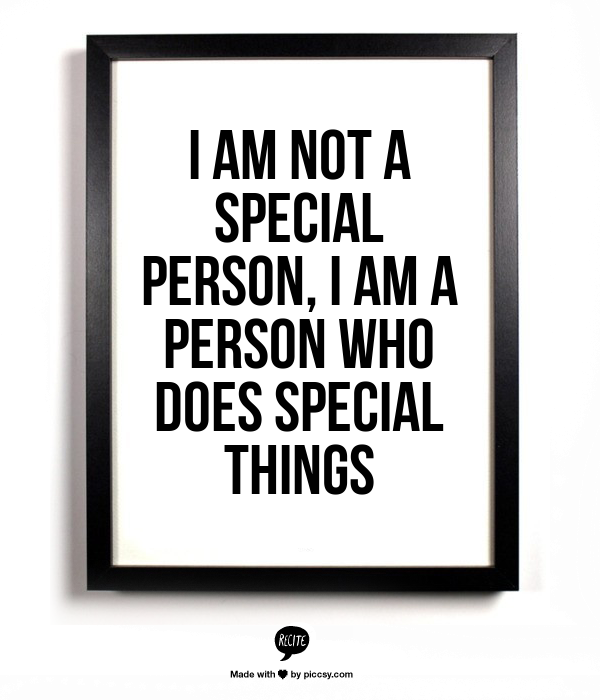
Recite is a tool that allows you to type your statement right into the quote box, scroll through the templates from the bottom screen, chose one, and preview your creation. If you like it, you can share it through a variety of social medias, email, download or use the link to add to your website or blog. It’s that easy! One note of caution, make sure your permalink links to your photo, as the link takes you to piccsy.com , a site connected to Recite. This site has tons of photo quotes made by others that you can preview. I would caution using the permalink, especially when working with students. Some of the other photo quotes displayed next to your quote on the piccsy site, may be mature in language (nothing X-rated but definitely PG 13 ). Your best choice would be to create it, download it to your computer and then display or share it.
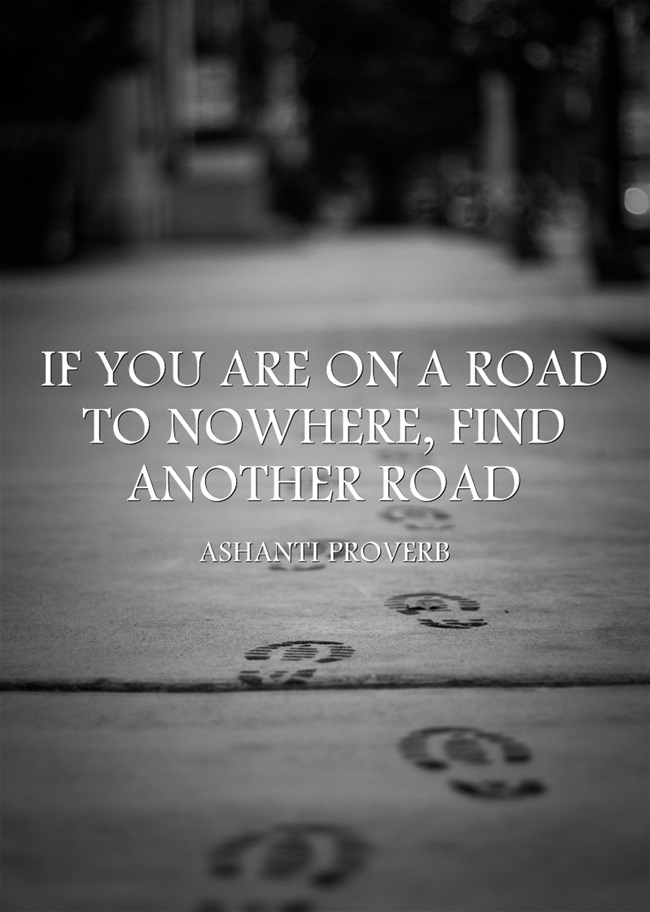
This tool is similar to Recitethis. It’s quick and simple. Write in your quote, give credit to the author, choose a template from the scrolling menu above, push the go button, and your quote is made! Its that simple and it looks great. If you want to save all your quotes to the site, you have to sign up with your email and make a unique password for the site. You don’t have to sign up. You can choose other methods of saving your work such as; email, pinterest, twitter etc. *There is no need to download anything, so be careful of the ads, as they are there for the purpose of directing you to other sites.
This tool has a little more options to be your own creative genius. If you just want to try the tool out you don’t have to sign up, but signing up allows you to save your creations to the site. You have the option under the account tab to make your tackks public or private. With this tool you can do a lot more that just putting in a quote and choosing from templates. With Tackk, you can upload your own photos, videos, add music (they have some for you) ,embed your tackk on your site, and much more. You can use Tackk as a way to create a flyer for your club or event. To add more you just push the big plus sign and this adds another box for you to add more content. You have the capability to re-size your photos and move your ideas around on the page. There are a variety of color schemes, fonts, and background patterns. Tackk even allows you to upload your own background patterns. With Tackk, you have the options of printing your poster/flyer etc., and making copies of it to hang or pass out. This could be great for your counseling office or for a space where you want to show off your students work. This site also has its social side, as you can share, follow other Tackk boards, link it to your social networks and more. Below is the sample Tackk I’ve made which is accessed through twitter .
https://twitter.com/socialworkpad/status/428392709141696512
Canva takes the creativity notch up a little bit more. This tool is also free, but it acts and develops like a purchased tool. Well for the most part its free, but if you would like to use some of the premium photos and backgrounds, you can purchase them for a whopping 99 cents! The free graphics and backgrounds are plentiful and you can do a lot for free. When you begin to make your design, you can choose from ten different layouts and/or themes, or you can make one from scratch if you like. To give you an overview, watch the support clip below.
This tool is actually an App in the iTunes store and is not on the Android market. This App is simple but powerful. It’s named after the major form of Japanese verse (Haiku). What I love about Haiku deck is it gives you photos that relate to the words that you type on your slide. This gives the background photo a connection to your words. The beauty of Haiku deck is that you only have three lines to input your words. You don’t have to say much to get your point across, which is a good technique in teaching students to be concise and to the point. You can add as many slides as you need (I think too many is overkill ) and as with the other creation tools, you can share your creations to various social media, email or save to the site. You should make an account to have your Haiku’s saved to the site, but you don’t have to as you can save them to your tablet or email them to yourself. Below is a very good Haiku about the “Thank you Effect,” in customer service. This message can relate to everyday life just as well. The sample below is a nice example of how Haiku’s can be used as discussion prompts. When using this Haiku with students ask them, “how can you relate each slide to interpersonal relationships?”
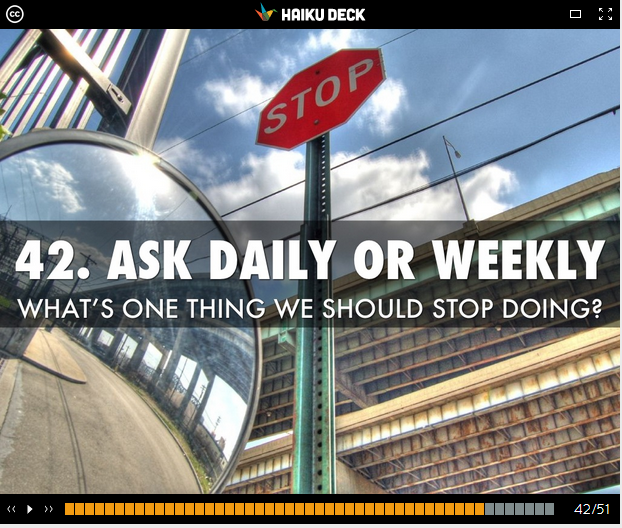
http://www.haikudeck.com/p/gq0uhTcje4/the-thank-you-effect—50-small-ways-to-improve-customer-service
Smore is a tool that shares similarities with both Tackk and Canva. It’s promoted as a tool that develops professional looking flyers, but it really can be used to promote whatever you want. You can put as much or as little content on the flyer as you like. This tool is free but you are limited to sending the flyer out to 200 people by email (monthly), but you don’t have custom backgrounds. As with the other free tools discussed, the free version of Smore works quite well. There are paid versions available that offer unlimited emailing, no Smores branding, access to new designs and more. The site also has a price for educators. This tool can be great for your students to promote participation in a service learning projects or for the “One good thing today” movement mentioned in the first part of my blog. Below is a pic of the Smore that was made by a professor at Chicago’s DePaul University, and she also has ties to the counseling center at DePaul. Here is the link to the Smore she made for her Tech Tools tutorials. https://www.smore.com/2wfb
This Smore is of tutorials on tech tools
Click photo for NASW site
 thesocialworkpad
 thesocialworkpad