Posted onFebruary 29, 2016|Comments Off on 26 Social Workers Who Are Using Their Creativity For More Impact and More Income
Love this article by Eva Forde. Everyone couldn’t be included (like myself), but if you are doing something creative leave a comment. Great way to support one another. Check out her blog.
There’s a growing trend happening in social work. More and more social workers are tapping into their creativity to share their unique solutions with people online, often not only extending their reach, but pursuing their passions in the process. And while it’s true that many of these mavericks offer consulting, coaching, counseling and speaking in their repertoire of services, some also create additional opportunities for clients to engage with them through fee-for …
During my daily read, I found a wonderful site that gives tons of information about keeping teens, parents, and professionals safe on-line. One video that was extremely informative was the, “Popular App Guide for Parents and Teachers.” It is worth looking at from beginning to end as it is eye-opening.
Off course you can find something unsafe about many social media apps. The Safe Smart Social site attempts to explain to those that aren’t so familiar with social media, the way social media apps can be positive, and how to look out for those innocent appearing apps, that can be used for negative behavior. Below is the video from Safe Smart Social that is definitely worth sharing.
There is a lot of other great information on the Safe Smart Social site. How will you use this information? Are there other comments you could make about these apps. Your comments and suggestions are greatly appreciated.
Thanks to all my followers, and those who check in and read my posts. I hope to continue to give you more creative ideas and ways to incorporate technology into your social work practice.
The University at Buffalo School of Social Work is making its mark on helping their students use and understand how important technology is and how it can be used in the profession. They have developed some great resources for social workers to use.
Take a look at this video: The social worker’s guide to social media, by Dean Nancy Smyth.
On the School of Social Work site, you can find a list of resources for social workers to explore when using or looking for technology. The list is beneficial and a great find. Check it out below.
Click image to go to page
One of my other favorite go-to persons is Dr. Jennifer Edwards, Executive Director of Texas Social Medial Research Institute.
Check out the research page and their twitter chat page. Great source of information.
Laura Hitchcock is another social work professor (University of Alabama-Birmingham), that is making a mark in technology for social work. Check out her blog, Teaching and Learning in social work.
Dr. Erin Mason is from my hometown Chicago, so I can’t forget to mention her. Dr. Erin Mason is an Associate Professor in the Counseling program at DePaul University in Chicago. Dr. Mason is the developer of the blog, SCOPE. SCOPE provides school counselors with information about the latest technology tools, trends, and resources. I have to give a little love to my fellow school counselor. School counselors work with side by side with many social workers in schools. Check Dr. Mason out on her blog – SCOPE – scope4scs.com
I know there are others out there, like myself that are making a mark with technology in Social Work. I don’t want to leave anyone out but, in blogging, make it short and sweet.
How are you making your change to becoming a 21st-century social worker? Do you have any other great trailblazers in social work and tech? Leave me a comment!
Posted onOctober 1, 2015|Comments Off on Hands-On Apps for Diverse Learners | Edutopia
Diverse learners demonstrate engagement and creativity when introduced to interactive, tech-based learning tools through the game jam model of exploration.
One of the cool features in this article was a board game called Robot Turtles. This game is for 3-5-year-olds and it teaches the basic concepts of coding. For clinicians, this is a great way to get students to collaborate and use decision-making skills, working together on a common goal which is to move their pawn to the prize gem. We all know games are a great way to improve on so many social-emotional learning skills. Check out the following video clips about Robot Turtles. This game is a great way to connect with the coding craze that is going on in the educational technology domain. Code On!
Please provide feedback on this great game or the article. How can you use these ideas from the article when working with your students?
Social workers are beginning to realize the importance technology can play in their practice. One of my colleagues is focusing on how tech can be beneficial for social workers in the health care field in his blog post. He further discusses his ideas on tech in other areas of social work. Great read, ideas and resources.
I was engaged in a conversation on twitter with Dr. James Legan about this cool project he is working on. He using a Projected Electronic Health Record during patient visits by putting the health record on a big screen in his office. He also shared some other tech that he is using as a doctor. The more I hang on out twitter the more I end up meeting tech friendly people working on fantastic ideas.
I started out with a modest twitter list called “Mental/Physical Tech”. It has slowly grown to 114 people and companies that I think are doing some cool stuff with technology. Also I have been reaching out to people in the health information technology field on twitter (#HITsm). There is a vibrant Social Work and Technology group on Google Plus. So why is this social worker so incredibly interested in technology for healthcare? Dr. Legan…
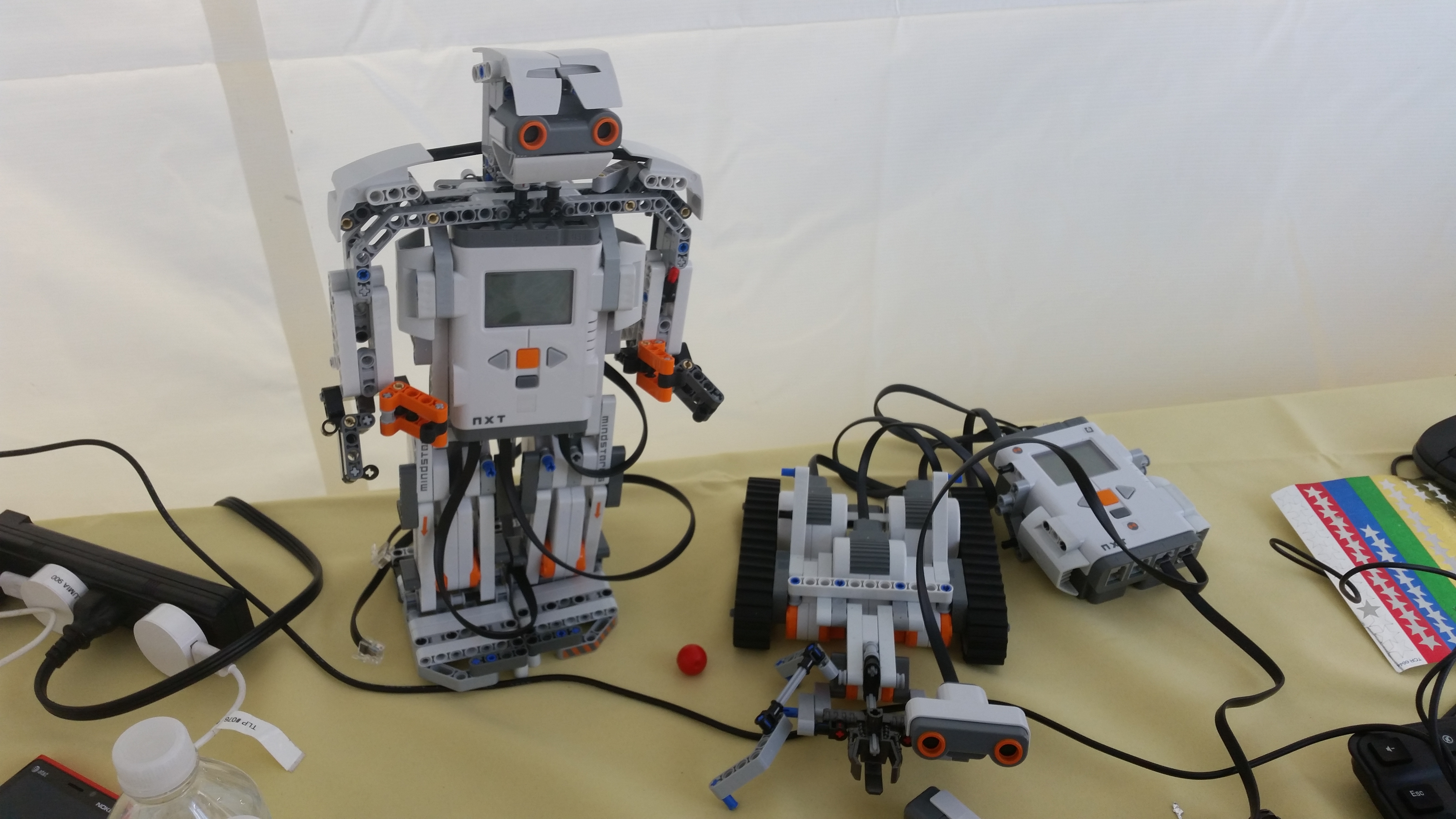
I had the opportunity to make it to Chicago’s first Geek Street Fair. This fair was a tribute to STEM, Science Technology, Engineering and Math. It provided hands-on fun for all ages, but it was specifically designed to show kids how exciting and fun STEM can be. I’ve been writing how technology can enhance social emotional learning for all. At the Geek Street Fair, I was able to envision how many of the exhibits can assist students in learning many important social skills. There were also a great amount of programs there that are developing classes to assist adults and kids in learning more about technology. There were so many great ideas. I just have to share all the fun and resources I saw.
Great New Agencies
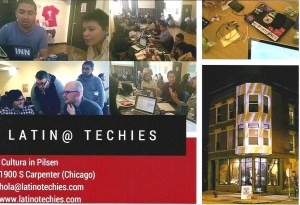
Spanish classes available (click on photo to go to site)
A Tech Innovation Center (click photo to go to site)
Project Tech Teens
Tools to enhance sel development
The small stingray shaped robot is really cool. You program it to move through the program Scratch . Scratch is a project of the Lifelong Kindergarten Group at the MIT Media Lab. It is provided free of charge. https://scratch.mit.edu/ Many students know how to use scratch but if you are in Chicago and want to use the robot with your students, the Chicago Public Library has a great deal. Educators can rent groups of five Finch robots from the CPL for up to three weeks. There is also trainings offered to learn how to work the Finch with the scratch program. This is not advanced computer programming, and is easy to learn.
The clinical applications: get the students to learn how to work together, cooperate, problem solve, finish a project and make decisions. Students can navigate Finch through a path toward correct answers, after a social skill lesson is taught. Students can work in teams to program Finch to chose picture prompts for a simple story board script. Students will display their comprehension of the lesson through demonstration and programming Finch. Below is a picture of the Finch robot going through a lego maze.
This was one of the exhibits that was fascinating. The tiny clear box attaches the mouse, keyboard, and a monitor to become an actual working computer. You have to be connected to wifi to get on the web which allows you to access your files on google docs. You mainly access files that are stored on cloud storage like drop box or google docs but the exhibitor stated that in the future there will be the capability to use windows office through the cloud . This device is raspberry pi model b https://www.raspberrypi.org/products/raspberry-pi-2-model-b/ The cost of the device is relatively low $35 and the case is around $9. Seriously just have wifi, a mouse, keyboard, monitor and you are on the internet . You can read more about the devices on the web.
Clinical applications: This can be a real game changer for social workers that want to work with students on an internet based project but have little access to computers. Often computer labs are reserved for classes and teacher, if there is a lab at all. This limits the ability for clinical staff to work with a group of students on a project that is computer based. With the raspberry pi, a clinician not only can provide access to the internet for students, but also provide services to students in groups.
This robot and car also run from Raspberry pi, Students build the models and the device programs it to move
I recently presented a workshop on “Cool tools for data collection,” where the participants learned about Quizizz, and Kahoot. One of the newer tools out is Pear Deck. I haven’t had a chance to try it out, but it puts a jolt of energy into powerpoint slides and makes them become interactive with your students. Pear Deck gives users the ability to use the tool for free up to three projects. You get limited features but the free version gives you the opportunity to get a feel of the tool before you purchase more options with the paid version.
This tool is pretty easy to use as it interacts with your google account to save your slides there. If you know how to use powerpoint, the Pear Deck set up will not be difficult for you. Below I found a great article on comparing Quizizz, Kahoot and Pear Deck . If you give it a try, comment to me as to how you like the tool and how it could be used as a social work and data collecting tool. Have fun!
Recently I wrote about another site (Kahoot) that is great fun. Kahoot allows you to collect data, show progress, and display comprehension skills of the students. I stumbled across another great web-based tool, Quizizz. Quizizz does something similar to Kahoot, but is more student centered. In Kahoot, the teacher makes the pace of the questions, in Quizizz, the students can play the game at their own pace. These are some of the highlights of Quizizz.
Quizizz is free!
Teachers develop questions ( that can have pictures attached), that the students will answer, by looking at them on a large screen, or on individual devices. Quizizz works on all web-based tablets and computers. Teachers can also choose from games already developed in the Quizizz community.
Students get a code to use when logging in. The facilitator has the ability to cross off names on the board that are inappropriate.
Prior to starting the game/quiz, the facilitator is given the opportunity to set various settings, such as, the amount of time for each question, have the questions played in random order for each student or not, allow points or no points, give higher points to the person that answers the fastest etc..
Facilitator starts the quiz when everyone is signed in.
Teacher and students can view the leader board and the progress of each student can be displayed. Top leaders names will be displayed.
Students get automatic feedback on questions answered incorrect on their personal device, so students can review questions and what they got wrong.
This is what the facilitator of the game can see.
This is a great tutorial for creating a Quizizz.
For the most part, Quizizz is an easy tool to set up, that has a lot of positives. There are some drawbacks that I think are important to mention when using Quizizz. Many of the students that social workers have on a school caseload, are diverse learners. I try out many of my tech tools on intermediate grade students who struggle with reading. Quizizz is based on a person reading a question and choosing an answer. So its best practice to attempt to use pictures associated with your questions.
My students played a practice game on the primary level that had pictures that associate with the questions. Since the questions were scrambled, a couple of my students were frustrated as they yelled out, “I can’t read the questions!” in a playful voice. I immediately realized that I couldn’t quickly assist them, as each of the students’ screens had different questions. They were familiar with the Kahoot style game, where everyone had the same question presented on the board at the same time.
Another issue that arose was the students feeling anxious with trying to get their names on the leader board. Some of my students don’t handle failure well, and this feature annoyed them , causing a few to complain and lose motivation. The humorous images that play after a right or wrong answer (this feature can be disabled), also got irritating to some of the students, especially those who were getting questions wrong.
If a facilitator is using a smart board to display the log in code and progression of the game, some students may be angered as others can see their progress. The facilitator may wish to minimize the image on the screen, so that it doesn’t display everyone’s progress. The facilitator can usually see progress on their computer screen privately, without it being displayed on the smart board screen.
Finally, some students will finish sooner than others as Quizizz is individually timed (unless you choose other wise), so plan to have something for the students to do that finish first, as you know, review of the questions only goes so far :).
In closing, I would give Quizizz a thumbs up for being innovative, interactive, entertaining, and educational. This tool is definitely worth trying. I made a Quizizz on the Pixar movie Inside Out (dealing with emotions) by reading the book to the students. The movie hadn’t come out yet,but the students had seen the trailers. This was a great way to motivate them to learn more about emotions. Please leave a comment on how you would use Quizizz in a counseling setting.

 There’s a growing trend happening in social work. More and more social workers are tapping into their creativity to share their unique solutions with people online, often not only extending their reach, but pursuing their passions in the process. And while it’s true that many of these mavericks offer consulting, coaching, counseling and speaking in their repertoire of services, some also create additional opportunities for clients to engage with them through fee-for …


 Dr. Erin Mason is from my hometown Chicago, so I can’t forget to mention her. Dr. Erin Mason is an Associate Professor in the Counseling program at DePaul University in Chicago. Dr. Mason is the developer of the blog, SCOPE. SCOPE provides school counselors with information about the latest technology tools, trends, and resources. I have to give a little love to my fellow school counselor. School counselors work with side by side with many social workers in schools. Check Dr. Mason out on her blog – SCOPE –







 thesocialworkpad
 thesocialworkpad